
Robinhood Banking
RobinhoodFinance
4.92.35K Reviews
- Version
- 2.18.7
- Installs
- 100.00K
- Age Rating
- Everyone
Screenshots
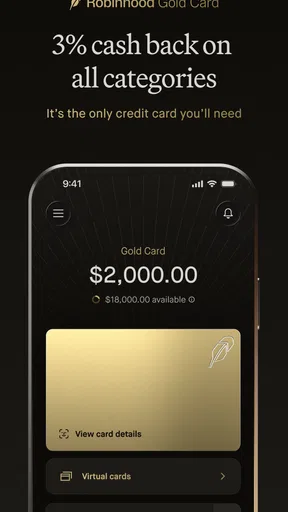
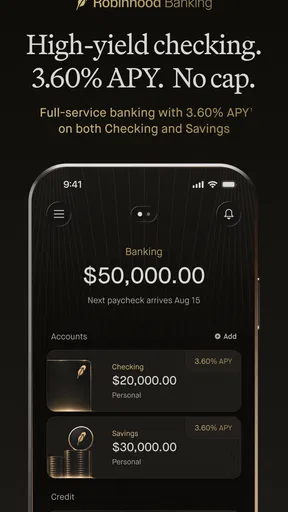
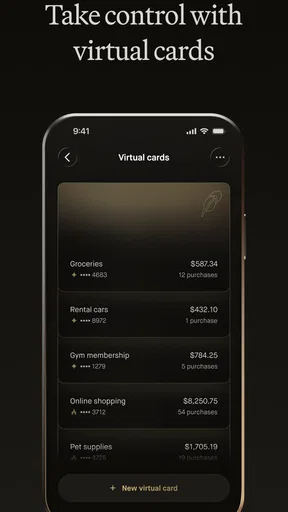
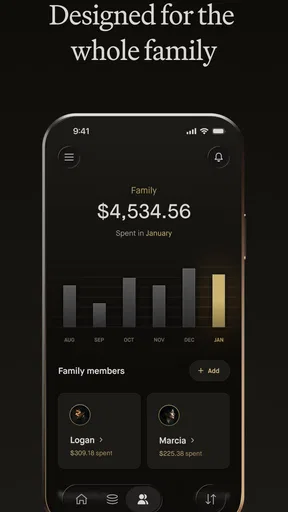

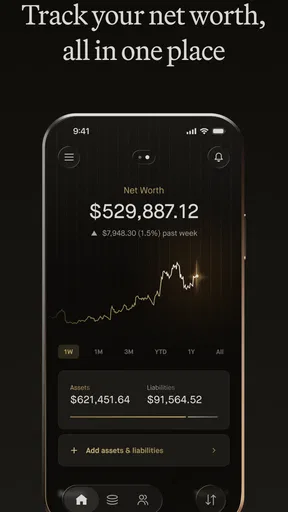
Our Review of Robinhood Banking
 Analysis by Appyee
Robinhood Banking is the kind of finance app that makes a strong first impression because it puts everyday money tasks in a clean, focused space. I found it easy to approach when I wanted to check a balance, review recent activity, or get a quick sense of where my money stood without working through a crowded banking interface. It is free, aimed at everyone, and developed by Robinhood, so the main appeal is straightforward access rather than a complicated setup for specialist users.
That first impression matters, but banking apps are judged differently from entertainment apps. A new interface can feel satisfying for a week; a financial tool has to remain useful when bills arrive, spending gets messy, and I need dependable information quickly. My experience with Robinhood Banking is that its lasting value comes from reducing friction around routine money checks. It is less convincing as a complete answer for every financial need, especially for people who want a traditional bank relationship with a broad range of services in one place.
From an appealing first week to a more demanding monthly habit
I look at the first week as a test of whether the app makes routine money checks feel simple enough to repeat, not as proof that it can handle every financial need. A useful next step is to notice which moments actually bring me back—after a deposit, before a purchase, or while checking recent activity. That pattern leads naturally to the tougher question: whether the habit still helps once the month brings more moving parts.
Why the first week feels approachable
The app presents itself as a banking product rather than asking me to think about investing first. That distinction is important. Someone opening it to manage ordinary cash can understand the purpose quickly, while an existing Robinhood user may appreciate having banking activity closer to other money-related tasks. The store summary describes it as “Credit Card & Banking,” and the short description identifies it as Robinhood Banking, so the intended direction is clear even before I spend much time inside it.
During the first few days, I would use it in short sessions rather than treating it like a financial dashboard that needs constant attention. A quick morning check can confirm whether an expected deposit has arrived. A later glance can help me notice a purchase that I had forgotten about. That kind of brief interaction is where the app feels most natural: open it, find the relevant information, and leave without turning a simple check into a project.
The free price removes one common barrier to trying a new financial app. I also found the broad Everyone content rating reassuring for households where a straightforward banking tool may need to be understood by different kinds of users. That does not make financial decisions automatically safe, of course, but it does support the app’s approachable character. The interface is not built around intimidating terminology or an assumption that every user is a finance enthusiast.
Robinhood Banking has also attracted a visible audience. It holds an average rating of 4.9 from around 26 thousand ratings, with roughly 2.3 thousand written reviews, and the listing shows over 100 thousand installs. Those figures suggest that the app is not merely a curiosity for a small group. I would still treat ratings as a starting signal rather than proof that it fits my own banking habits, because a person looking for a daily spending account has different priorities from someone already familiar with Robinhood.
A practical everyday scenario
Imagine I am preparing for a busy week and want to make sure my available money covers groceries, transport, and a scheduled payment. I can use the app as a quick checkpoint instead of reconstructing my finances from memory. I would review recent activity, compare it with my own notes, and then decide whether I need to move money or simply adjust my spending. The useful part is not a dramatic financial insight; it is the small reduction in uncertainty before I make ordinary decisions.
A second scenario is checking an account after using a card during a weekend away. Rather than waiting until the end of the month to discover several small purchases, I can review them while they are still fresh. That helps me identify an unfamiliar transaction sooner and keeps the record connected to the context in which I spent the money. The app works best here as a regular observation tool, not as a replacement for personal judgment or a carefully planned budget.
One tip I would give a new user is to establish a consistent checking moment instead of opening the app randomly. A short review after a deposit or before a weekly shopping trip creates a useful habit. Constantly refreshing a banking app can become its own form of anxiety, while never checking it leaves me reacting too late. Robinhood Banking earns its place more easily when I give it a specific job and a reasonable rhythm.
What changes after the novelty fades
After the first week, the question becomes whether the app saves enough time to justify keeping it in my regular routine. The answer depends on what I expect from banking software. If I mainly want fast visibility into my money and a simple way to revisit recent activity, the app has recurring value. I can return to the same basic tasks without learning a new workflow every time, which is exactly what I want from something I may use several times a week.
The value is quieter than the excitement of installing a new app. There is no need for a banking tool to entertain me; it needs to be dependable, legible, and easy to revisit. In that sense, the app’s strongest long-term quality is its potential to become a low-effort checkpoint. I can use it before making a purchase, after receiving money, or when reconciling my own records. Those moments are ordinary, but they repeat, and repeated usefulness is more important than a memorable first session.
At the same time, I would not confuse a pleasant interface with a full financial system. People who need extensive account types, detailed household budgeting, complex payment planning, or a long-established branch-based relationship may find a conventional bank more suitable. A dedicated budgeting app can also be better for someone who wants category analysis, long-term targets, and detailed spending reports rather than a direct view of banking activity.
That comparison is where Robinhood Banking needs a clear place in my setup. I see it as strongest when it serves as the everyday access point for Robinhood’s banking experience. I would choose a traditional bank when breadth, support channels, or a wider set of established services mattered more. I would choose a separate budgeting tool when the main goal was behavior change through detailed planning. Using more than one app can feel less elegant, but the right tool is the one that matches the job I actually need to complete.
The maintenance burden is low, but not invisible
One reason I can imagine keeping the app installed is that its maintenance burden is relatively modest. A banking app should not demand daily configuration, elaborate customization, or repeated setup. Once I know where to look for balances and activity, the routine is short. That makes it more realistic for busy users than a system that promises deep control but requires constant manual upkeep.
Still, “low maintenance” does not mean “set and forget.” I would keep my phone’s operating system compatible, review activity regularly, and pay attention to any account notices inside the app. The current version is 2.18.7, and the minimum supported Android requirement is 7.0, so users on older devices should check compatibility before building their routine around it. Keeping a finance app current is particularly important because access and security are more consequential here than they are with a casual utility.
My most useful maintenance tip is to separate checking from investigating. A normal daily or weekly glance should be quick. If something looks unfamiliar, I would then slow down, compare the transaction with receipts or messages, and use the appropriate support route rather than repeatedly opening and closing the app. This two-step habit prevents ordinary monitoring from becoming exhausting while still giving suspicious activity the attention it deserves.
I would also avoid relying on memory as the only record of important financial commitments. Robinhood Banking can help me see what is happening, but I would keep essential payment dates and personal plans in a separate place that I already trust. That is not a criticism unique to this app; it is a sensible boundary for any mobile banking tool. A convenient view of current activity is valuable, but it should not become my entire financial organization system.
Where recurring fatigue can appear
The first source of fatigue is repetition without enough added insight. If I open the app only to see the same balance and recent transactions, the routine may eventually feel mechanical. That is normal for banking, but it means the app needs to fit naturally into moments when the information helps me make a decision. Opening it out of habit alone is less useful than checking before a purchase, after an expected deposit, or during a weekly review.
The second source is the gap between visibility and control. Seeing a transaction is not the same as understanding my wider financial position, and understanding my position is not the same as improving it. Users who expect the app to organize every goal, explain every spending pattern, or replace a personal budget may feel disappointed. I would be careful not to treat a clean presentation as a substitute for planning.
There can also be fatigue when an app becomes part of a larger financial setup without clear boundaries. If I use Robinhood Banking alongside a conventional bank, a card app, and a budgeting service, I may gain flexibility but lose a single source of truth. The practical solution is to decide which app is authoritative for each task. For example, I might use Robinhood Banking for its own account activity, a budgeting tool for categories, and my existing bank for services that are not part of this experience.
Another limitation is emotional rather than technical: frequent balance checking can encourage short-term reactions. I may see a lower figure after a few purchases and immediately restrict myself, even when upcoming income or planned expenses change the picture. The app gives me current information, but I still need context. I find it healthier to pair quick checks with a weekly review, where I consider upcoming commitments instead of judging my finances from one moment.
Who will get the most from it
I would recommend Robinhood Banking to someone who wants a free, approachable banking app and values quick access to everyday account information. It makes particular sense for a person already comfortable with Robinhood’s ecosystem, because the experience feels more coherent when banking is part of an existing relationship with the developer. It can also suit someone moving away from a cluttered interface and looking for a simpler routine.
The app is less likely to be the right choice for someone who wants a complete replacement for every financial service. If I needed extensive budgeting tools, specialized account management, in-person assistance, or a broad traditional banking relationship, I would compare established banks and dedicated finance apps before switching. I would also be cautious if my phone is older than the supported Android requirement, because compatibility should be settled before I depend on the app for regular access.
People who share money with a partner or manage a household should think about workflow rather than just interface. A simple personal banking routine may translate well, but shared finances often require agreed records, clear responsibilities, and more detailed planning. I would test whether the app fits the way both people review transactions before making it the center of household money management.
My long-term verdict
After the novelty fades, Robinhood Banking still has a credible reason to remain installed: it can turn routine money checking into a short, repeatable habit. That is not a flashy promise, but it is the right standard for a banking app. I value the ability to return to the same core information without unnecessary effort, especially when I am checking a deposit, reviewing a purchase, or deciding whether a planned expense fits my current situation.
My recommendation is positive with a clear condition: use it for the banking tasks it handles well, and do not expect it to replace every financial tool. Its free access, approachable presentation, broad audience, and strong user response make it easy to try. The real test is whether it continues to reduce friction after the first few weeks. For me, it does when I give it a defined role and avoid turning it into a substitute for budgeting, record-keeping, or broader financial advice.
Robinhood Banking earns lasting space when it becomes a calm checkpoint rather than another app demanding attention. I would keep it for accessible day-to-day banking, maintain a separate plan for larger financial decisions, and choose a traditional bank or specialized budgeting service when those needs take priority. That balance gives the app a practical place in my routine without asking it to be something it is not.
Verdict
Strengths of Robinhood Banking
- Commission-free stock, ETF, and options trading is easy to access.
- The clean interface makes monitoring investments quick for beginners.
- Fractional shares let users invest with smaller amounts of money.
- Recurring investments can help automate long-term portfolio building.
- Instant deposits may provide faster access to available funds.
Limitations of Robinhood Banking
- Robinhood is unavailable or limited in several countries and regions.
- Advanced charting and research tools may feel limited for experienced traders.
- Options and margin trading can expose beginners to substantial losses.
- Customer support is primarily online, with limited direct assistance.
- Some account features and services vary depending on location and eligibility.
Similar Picks in This Category
View All
Google Wallet
Google LLC4.3

Airtel: Recharge, Bank & Loans
Airtel4.0

PayPal - Pay, Send, Save
PayPal Mobile4.2

DANA Indonesia Digital Wallet
PT Espay Debit Indonesia Koe4.5

Binance: Buy Bitcoin & Crypto
Binance Inc.4.8

Cash App
Block, Inc.4.7
Frequently Asked Questions
What is Robinhood Banking, and what services does it offer?
Robinhood is primarily an investing and financial services platform rather than a traditional full-service bank. Depending on your location and eligibility, the app may provide commission-free trading for stocks, ETFs, options, and cryptocurrencies, along with cash-management features, a debit card, direct deposit, and access to eligible savings or brokerage products. Available services can change, so review the current product details before signing up.
Is Robinhood safe to use, and is my money protected?
Robinhood uses security measures such as encryption, account monitoring, identity verification, and two-factor authentication options to help protect users. Brokerage assets may be protected by SIPC within applicable limits, while eligible cash balances may receive FDIC insurance through program banks, subject to specific conditions and limits. Protection does not eliminate investment risk, and cryptocurrency coverage can differ significantly.
Does Robinhood charge fees for trading or account maintenance?
Robinhood generally advertises commission-free online trading for many stocks, ETFs, and other supported investments, but this does not mean every transaction is completely free. Regulatory fees, fund expenses, options-related costs, margin interest, instant-transfer fees, and cryptocurrency spreads may apply. Before confirming an order or enabling a premium feature, check the app’s pricing disclosures carefully.
Can beginners use Robinhood to invest, and what risks should they understand?
Robinhood is designed with a simple interface that can make investing approachable for beginners, offering watchlists, charts, recurring investments, educational material, and straightforward order screens. However, the easy-to-use design should not be mistaken for low risk. Stock, options, crypto, and leveraged trading can result in losses, so new investors should learn the basics and avoid investing money they cannot afford to lose.
What are the eligibility and account requirements for downloading and using Robinhood?
To open a Robinhood account, users generally must meet age, residency, identity-verification, and regulatory requirements applicable in their country or region. You may need to provide personal information, a government-issued identification document, and banking details for deposits or withdrawals. Some products, including options, margin, cryptocurrency, or premium services, require additional approval and may not be available to every customer.
